
Where to find and install AEO Toolkit
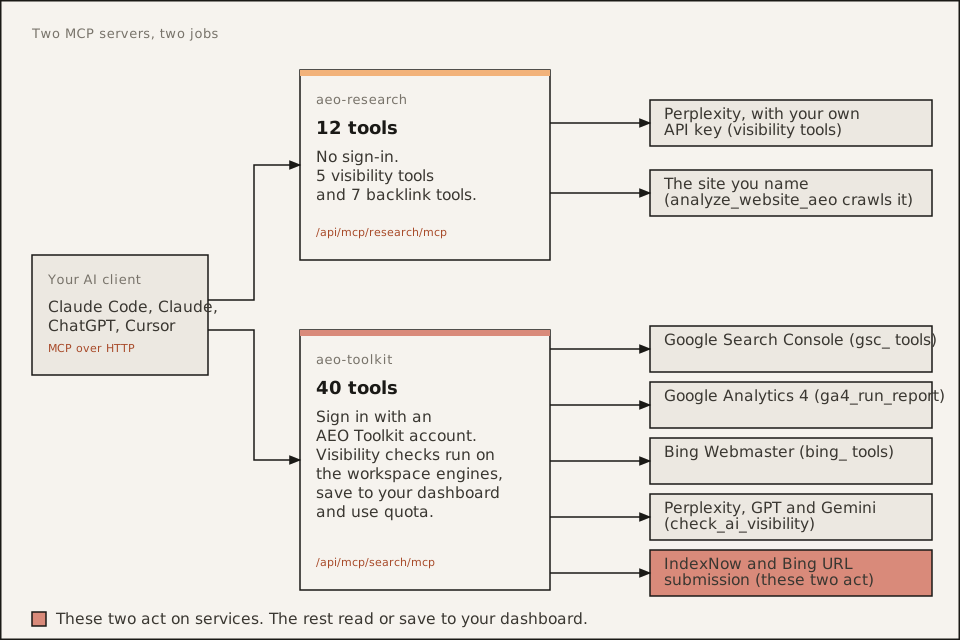
AEO Toolkit runs two public MCP servers. Both are hosted, so nothing installs locally. Point your client at the URL.
| Server | Registry entry | Endpoint | Tools | Access |
|---|---|---|---|---|
| aeo-research | dev.advancelabs/aeo-research 1.0.0 | https://aeo.advancelabs.dev/api/mcp/research/mcp | 12 | No sign-in. 5 visibility tools and 7 backlink tools. |
| aeo-toolkit | dev.advancelabs/aeo-search 1.0.3, titled “AEO Toolkit” | https://aeo.advancelabs.dev/api/mcp/search/mcp | 40 | Sign in with an AEO Toolkit account. Google and Bing come from the account’s project connections. |
The trailing /mcp is required. The registry entry for aeo-toolkit keeps the name aeo-search because it kept the original URL.
Where it is listed
| Directory | Status on 2026-11-17 |
|---|---|
| Official MCP Registry | Both records are live. |
| Glama | Connector pages exist for aeo-research and aeo-search. |
| MCP Market | The GitHub repository is in the free review queue. It is not listed yet. |
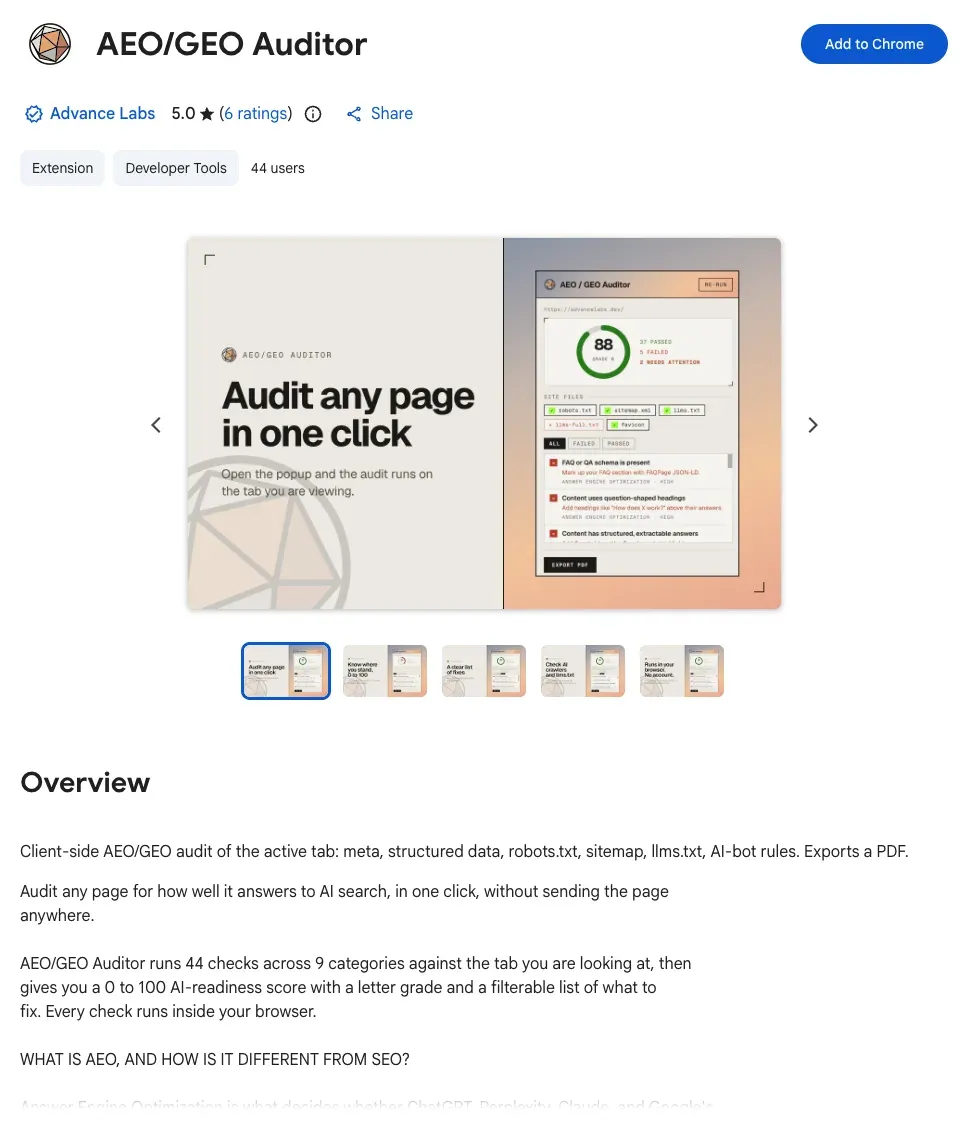
| Chrome Web Store | The AEO/GEO Auditor extension is live. |
More directories are in progress. We list one here only after it shows the entry.
The older registry entries aeo-visibility and aeo-backlink are aliases marked as moved to aeo-research. They are not separate products.
To check the registry yourself:
curl -s "https://registry.modelcontextprotocol.io/v0/servers?search=dev.advancelabs"Install by client
Claude Code, servers only
claude mcp add --transport http --scope user aeo-research https://aeo.advancelabs.dev/api/mcp/research/mcpclaude mcp add --transport http --scope user aeo-toolkit https://aeo.advancelabs.dev/api/mcp/search/mcp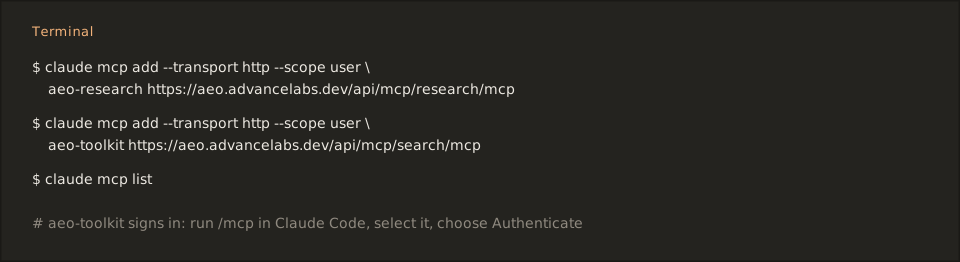
Drop --scope user to register a server for the current project only. Check with claude mcp list. For aeo-toolkit, run /mcp, select it and choose Authenticate. A browser opens for AEO Toolkit sign-in.
Claude Code, servers plus 24 skills
/plugin install aeo-toolkit --marketplace Advance-Labs/aeo-toolkitThe plugin registers its own copies of both servers. If you added them by hand, remove those first to avoid duplicate tools.
Claude.ai and Claude Desktop
Open Settings, Connectors, Add custom connector. Paste a server URL from the table above.
ChatGPT
Turn on developer mode, then add each server by URL as a custom connector.
Cursor and other clients
Edit ~/.cursor/mcp.json. Windsurf and other clients that take a JSON block use the same shape.
{ "mcpServers": { "aeo-research": { "url": "https://aeo.advancelabs.dev/api/mcp/research/mcp" }, "aeo-toolkit": { "url": "https://aeo.advancelabs.dev/api/mcp/search/mcp" } }}The aeo-toolkit server answers an anonymous request with a 401 that points the client at its sign-in. A client without MCP sign-in cannot use it.
Chrome extension
Install AEO/GEO Auditor from the Chrome Web Store. See the extension page.
Where the keys come from
On aeo-research, the Perplexity-backed tools take your own Perplexity key on each call. generate_outreach_email takes your own model provider key. On aeo-toolkit, Google, Bing and AI provider keys come from your account, so you do not paste a key into chat.
Next
- Use cases show what to do once it is connected.
- Buyer questions answers price, data and sign-in questions.
- Install the AEO MCP servers from the MCP Registry has the full registry reference.
AEO Toolkit is an open-source instrument by Advance Labs.